Install Agent
Agent is not required if you do not intend to use RobotHub platform
1
Prerequisites
- a RobotHub account
- a Linux computer with supported operating system
- direct terminal access or SSH access
2
Install
Run this on the target machine:
1curl -fsSL https://robothub.luxonis.com/install > /tmp/install.sh && sudo bash /tmp/install.shbash
After a successful installation, a window will appear displaying a message indicating that the installation was completed.
If you are experiencing issues with the installation process check the Common Issues.
1╭──────────────────────────────────────────────────────────╮
2│                                                          │
3│  RobotHub Agent Installer                                │
4│  Linux / x86_64                                          │
5│                                                          │
6│  Installation complete!                                  │
7│  Use `robothub-ctl help` to manage the agent.            │
8│                                                          │
9╰──────────────────────────────────────────────────────────╯
txt
3
Connect to RobotHub
Run:
1robothub-ctl cloud connectbash
and follow the instructions displayed.
4
Verify Installation
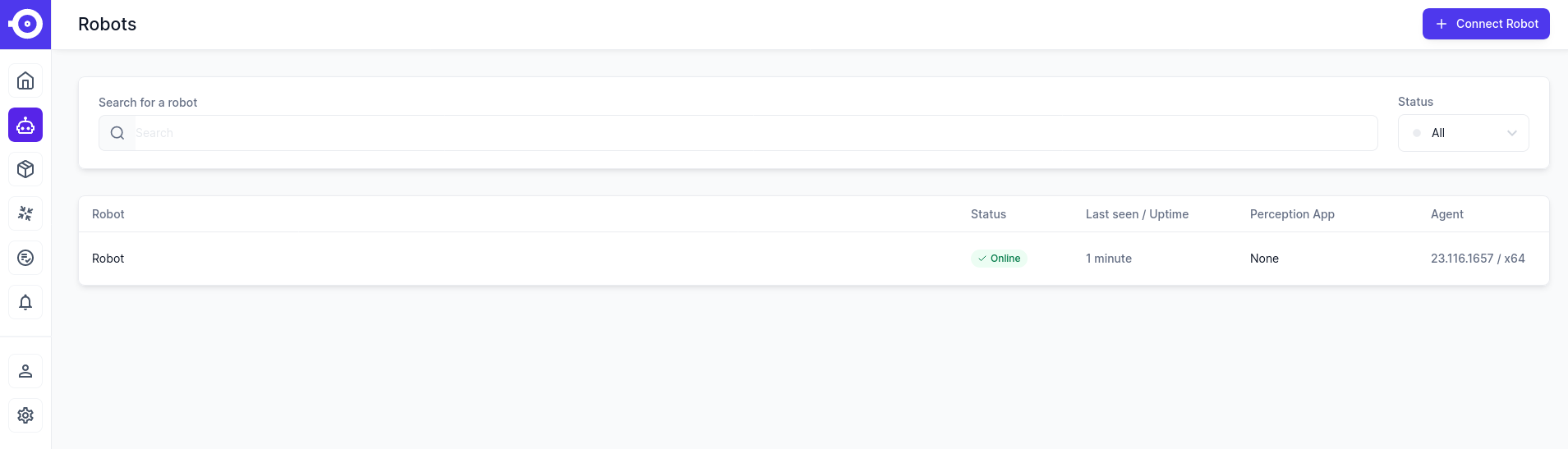
Now that the installation has finished, you should see your robot in the list of robots.
RobotHub Agent requirements
The following operating systems are officially supported.
| Operating system | |
|---|---|
| Ubuntu (Desktop or Server) | 20.04, 22.04 |
| Raspberry Pi OS | any version |
Only 64-bit operating systems are supported!
To determine whether your system is 32 or 64 bit use the getconf LONG_BIT command.
Hardware
| RAM / Memory | |
|---|---|
| Minimum | 2 GB |
| Recommended | 4 - 8 GB |
| Development | 8+ GB |
Expected storage use
| Storage | |
|---|---|
| Agent | 500 MB (2x to enable updates) |
| Average Application (docker image) | 500 MB - 2 GB |
| Average Application (source) | <100 MB |
| Average Application (model) | 5 MB - 500 MB |
| Events (video /images/files) | depends on use case |